Getting started
Getting started
Create your workspace, choose your country and plan, and follow the setup wizard.
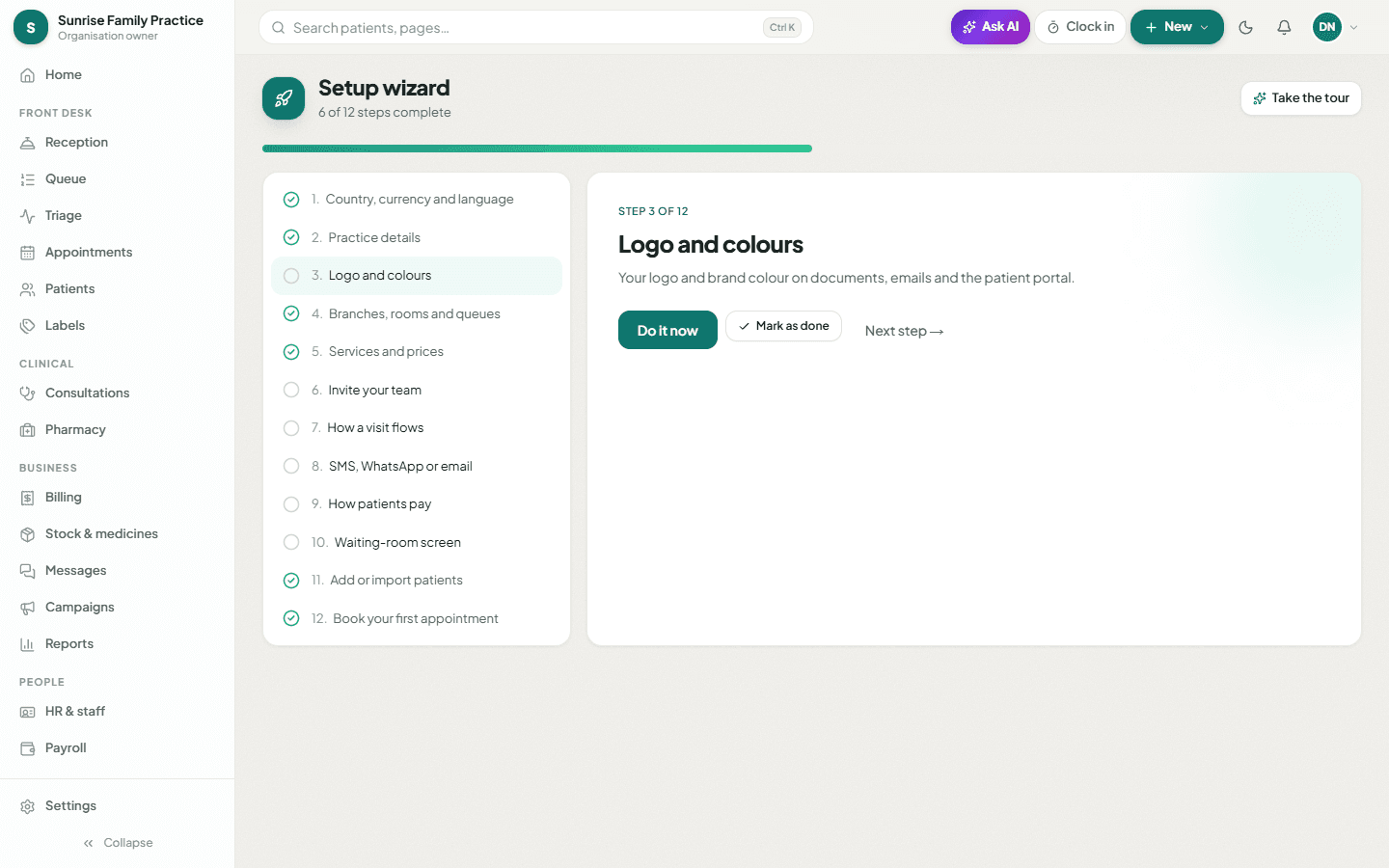
1. Create your workspace
Sign up with your email, then answer three questions: where your practice is (this sets your currency, language, phone format and time zone), your practice details, and your plan. Prices are shown in your currency, without cents.
2. Take the tour
The welcome screen shows what ClinicView can do. Take a 2-minute tour to see where everything is: the menu, search (Ctrl K), quick create, the AI assistant (Ctrl J), notifications and your account menu.
3. Follow the setup wizard
The setup wizard lists the few things to do before your first patient: practice details, logo, branches and rooms, services and prices, your team, how a visit flows, messaging, payments, your waiting-room screen and your patients. Steps tick themselves off as you complete them.
4. Invite your team
Settings → Team. Each person gets a role (receptionist, nurse, doctor, pharmacist, finance, HR…) with a focused menu for their work.
Still stuck? Contact support