Front desk
Queues and waiting-room screens
Live queues, triage priority and a TV screen that calls patients.
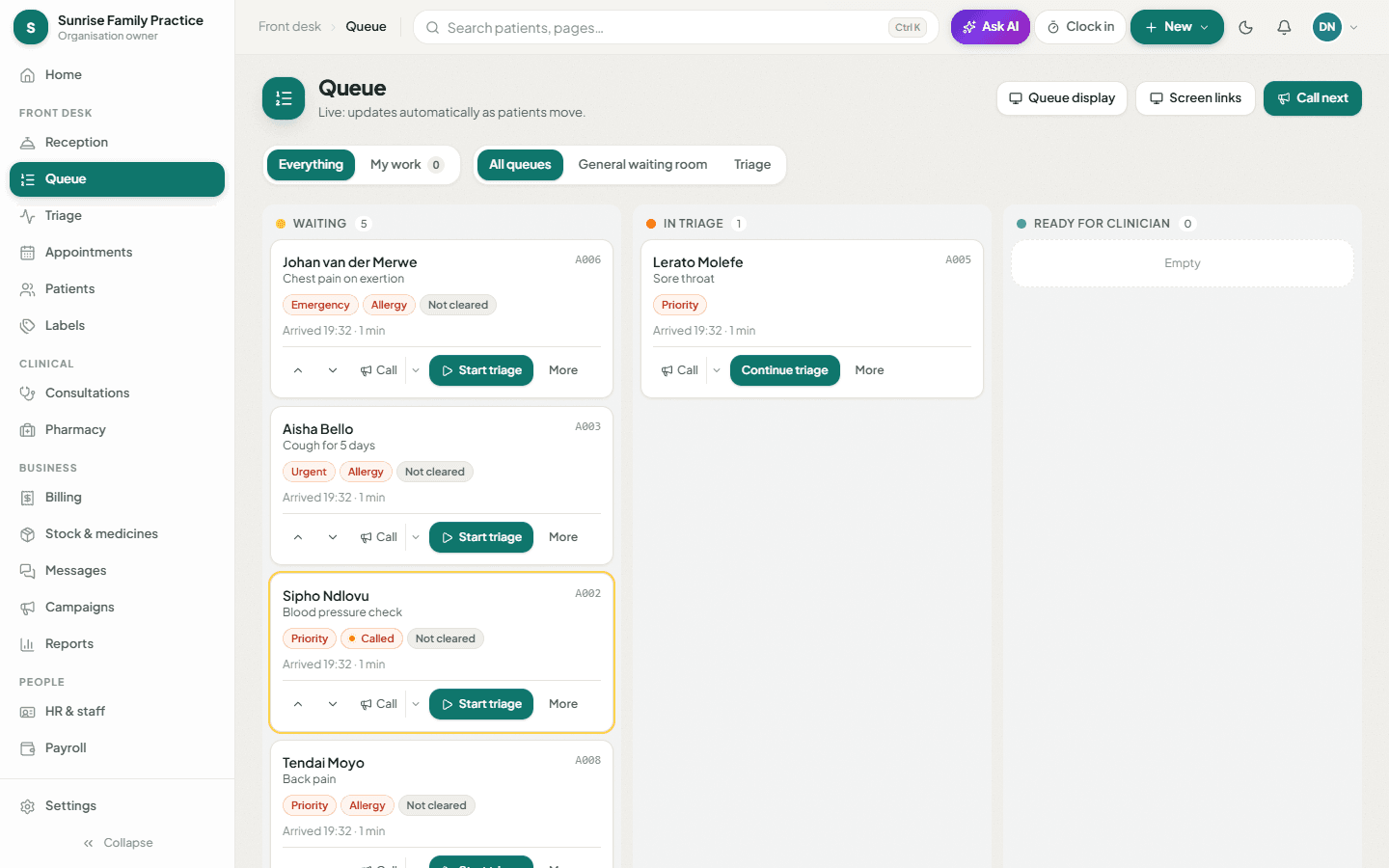
The queue
Reception checks patients in; they appear in the queue with their ticket number and priority. Clinicians call the next patient with one click.
Waiting-room screen
On the Queue page, press Queue display. If your practice has no screen yet, ClinicView offers to generate a unique link for it. Open the link on the TV (or scan its QR code with a tablet).
Calling voice
Settings → Public links & queue screens → your screen → Calling sound. Choose a chime, a voice or both. AI voices (Nova, Coral, Sage and others) sound natural; the browser voice is free. Write what is said, e.g. Now serving number {ticket}. Please proceed to {room}.
Still stuck? Contact support